Literacy INK Facebook Twitter Home Literacy Differentiation Technology

Showing posts with label Technology. Show all posts

Wednesday, July 31, 2013

Cloud Collaboration : Dropbox and Amazon Clouddrive


I’m headed into this school year looking for ways to increase PLC collaboration within my new grade level team. On my “To-Do” list this week are a couple of quick tech set-ups that are make sharing ideas, skill tasks, assessments, reading passages, and lesson hooks easy. Creating a digital cloud is number one on my list because it quickly fosters collaboration and sharing.

If you’ve ever changed grade levels, you may have found yourself wondering something along these lines… “This school has been open for ten years.  How is there not a single notebook, binder, file cabinet, etc with a collection of tests, resources, and activities that students have done in this grade over the past 10 years??? The problem is that when teachers change grade levels, they take their hard work with them, only to forget about it in an old computer file. It’s time to start leaving a digital footprint and stop reinventing the wheel every time there’s an upheaval in teaching assignments.

Set up a “cloud” for your team with folders that match content areas, and subfolders that match standards.  Then, have your team members upload content that can be used in all classrooms.  On my team, we upload common assessments, workshop task cards, video clips, pictures of anchor charts, and any worthwhile PDF that matches our standards.  Our main rule is that content that is uploaded needs to be premium content that is innovative, purposeful, and not a traditional worksheet. We also keep a copy of the instructional calendars on the cloud drive.   Sharing our digital content enables us to make sure that all team members have access to materials, reduces clogs in our email, and leaves a digital footprint for future teams.


The two clouds I would recommend are Amazon Cloud Drive and Dropbox.  Both are free, but limit the amount of content that can be held.  I have used Amazon Cloud Drive for several years because it’s easy to navigate and allows a large amount of content on the cloud before meeting a size limit.  DropBox has a smaller content limit, but downloading files to your computer is an easier process. I'm leaning towards switching to Dropbox this year because I'd like to reach out to other 3rd grade teams outside of my schools to collaborate, and Dropbox seems to be the more widely used cloud.


Good luck to everyone with pre-planning!  My next post will focus on #2 on my To-Do list: Using Padlet to facilitate "shared leadership" roles on a PLC team.

Wednesday, July 24, 2013

Welcome to Unpacking the Balanced Literacy Classroom Workshop!  

I've spent the past four years navigating Balanced Literacy in my 3rd-5th grade classrooms.  There's been quite a bit of trial, reflection, and fine-tuning of the process, but the positive impact that the program has on my students makes it worthwhile. I'm looking forward to sharing my experience with other teachers in Fulton County!

In an effort to save trees and provide you with digital copies, we'll use the links below throughout the workshop.  Please do not work ahead of the pace of the class by opening links before we get to them.  Thanks for your cooperation!


Let's get started...

Before the class begins:
While you wait for the class to begin, please respond to the following question by using the Padlet link below.  These responses will be sorted and organized following the workshop, and available for your viewing throughout the summer.  I bet we'll see a lot of great ideas that can quickly be implemented into our classrooms!
What new reading strategy or task have you implemented successfully in your classroom?
 http://padlet.com/wall/balancedsuccess

Read Aloud
If you'd like to hear more from Ken Robinson, check out his book: Out of Our Minds: Learning to be Creative.

Lesson Hook
If you'd like to use the Zones of Comfort, Risk, and Danger protocol with a PLC group, you can download the graphic here: 


Additional protocols can be found on the National School Reform Faculty website.


Mini-Lesson: 
Here's the big idea...  Balanced Literacy is more like cooking rather than baking.  It's a pinch of this, a smidge of that, add a little zest. Amounts vary.  It is not an exact science or prescribed recipe.  Lessons are built off of a standard, driven by assessments, and individualized to the student.  The Balanced Literacy classroom uses authentic text and personalized learning to meet students' diverse needs.

Balance Literacy Classroom Schedule
One of the main questions I often receive about a Balanced Literacy classroom is how the schedule looks throughout the day.  When do you give tests? How do you have time for a science lab or presentation? The key word is flexibility!  I've posted a schedule below that I've used when I prefer larger groups that meet frequently.  Other times during the year, I'll tweak the schedule to accommodate smaller groups that meet less often for a longer duration. Click on the pictures to download sample schedules.

Shared Reading Lesson
The Shared Reading Lesson is an excellent time to use a complex text that integrates the Science or Social Studies curriculum. The text should be unleveled, but provide scaffolding for students that need it.  I love to integrate writing and "partner talk" into the lesson by using Lucy Calkin's Pushing Your Thinking writing stems. Writing on a graffiti table makes the lesson even more engaging for students! For an outline of my lesson process, click here.


Balanced Literacy Workshop Rotations
We're going to continue to follow the routine of a Balanced Literacy classroom by breaking into small groups and rotating through stations. Your groups will be based on your self-assessment you posted on the Balanced Lit continuum.  You'll be grouped by your experience with Balanced Literacy. Please follow the norms that we created before moving to small groups.  Sometimes, a noisy group of adults makes learning harder than a loud classroom of kids. Thanks!


Rotation #1: Computers~ Independent Exploration of Project-Based Learning (K-5)
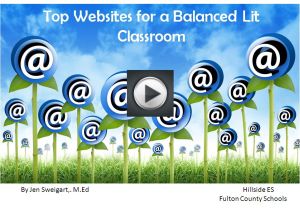
I've created a slideshow with active weblinks that presents some of my favorite tech tools for the elementary classroom. I've used almost all of these websites in my classroom for student projects.  In some cases, I've included links to view completed projects by Fulton County students. If you haven't yet introduced Edmodo into your classroom, I highly recommend it for this new school year.  I rely on it to run a Balanced Lit classroom! Click on the slide show below.  You'll need the password from the Rotation sign to access it.


Rotation #2: Differentiation ~ Partner Exploration of Differentiation Ideas (K-5)
In this rotation, you'll work with a partner to explore the use of choice menus, literature circles, alternative assessments, and Think Dots during the workshop rotations.  My students always enjoy the Book Club choice menus as formative and summative assessment options. You can explore the printed copies of these differentiated tasks and/or use this time to download your own copies.  Click on the pictures below to download:


Check out this Wiki for differentiated Choice Menus spanning K-5: Dare to Differentiate

Rotation #3: Guided Reading Using Leveled Text
 We will meet together to discuss using leveled, authentic text to drive small group instruction. If you have questions, this will be the time to ask them.

Closing: Goal-Setting
Take a deep breath!  Neither Rome nor a Balanced Literacy classroom was built in a day. The best advice I received in the early stages of my shift in teaching was to pick one to two areas to build.  Once those elements were in place, I layered in the additional elements of Balanced Literacy.  I started with my strength.  With an undergraduate degree in writing, I was most comfortable targeting the Writing Workshop and developing leveled Book Clubs.  With those foundation pieces in place, I added 1:1 conferencing, and the Reader's Workshop format. As the routine developed with my students, I then began moving away from a whole-class Science or Social Studies block, and began integrating those lessons into authentic texts throughout our morning. I adjusted the schedule on the days that called for science labs or Social Studies projects. Finally, I zeroed in on differentiating our tasks, integrating technology, and building skills through project-based learning.  My classroom continues to be a work in progress!

If you are at the point of shifting to Balanced Literacy or tweaking an existing program, I encourage you to use the Goal-Setting document below to help you navigate the process.  Good Luck!


Redelivery for Schools and PLCs in Fulton County:
If you would like to use the all or part of the PowerPoint used in the workshop to redeliver to schools and/or PLCs in the Fulton County School System, you may download a copy below. You will need the same password you used to access the Tech Tools Slideshare to open this PowerPoint. Under no circumstances may all or part of the presentation be copied and used for presentations outside of the Fulton County School System without permission.  In addition, all or part of the slides may not be copied and resold through popular teacher profit websites, such as Teachers Pay Teachers or other venues.  Thank you for your cooperation!
Click on the image to access the PowerPoint